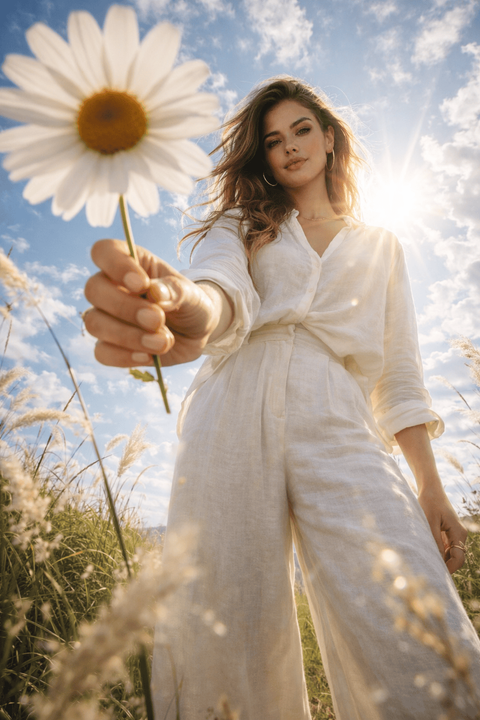
Cinematic portraits are one of the most popular AI image styles today. The difference between an average portrait and a cinematic masterpiece lies in lighting, camera detail, and atmosphere.
In this guide, we will explore how to create stunning cinematic AI portraits using structured prompts.
What Makes a Portrait Cinematic?
A cinematic portrait includes multiple layers of detail beyond just the subject. To achieve this look, your prompt should specify elements such as:
- Dramatic lighting
- Depth of field
- Emotion in expression
- Professional camera settings
- Rich color grading
Lighting Styles for Cinematic Effect
Lighting transforms flat images into dramatic scenes. Consider adding these specific lighting terms to your prompts:
- Golden hour sunlight - warm, soft light
- Blue hour lighting - cool, moody twilight
- Volumetric fog light - dramatic light rays through mist
- Neon cyberpunk glow - vibrant, futuristic contrasts
- Soft studio key light - professional subject illumination
Camera Settings That Improve Quality
Adding traditional photography terms forces the AI model (especially Midjourney and Stable Diffusion) to render more realistic physical lens effects:
- 85mm lens
- Close-up shot
- Medium shot
- Wide-angle lens
- Shallow depth of field
- Bokeh background
Sample Ready-to-Use Cinematic Prompt
Try copying and pasting this prompt into your favorite AI generator for immediate high-quality results:
Check out the PromptGet Library for more cinematic style ideas and ready-to-use portrait prompts!